Ergonomics for Remote Workers: Staying Healthy in Your Home Office in Japan
Working from home in Japan often means small spaces, long hours, and improvised desks. This guide explains practical ergonomics tips, Japan-specific advice, and simple habits so remote workers can protect their posture, eyes, and mental health in a home office.
Disclosure: This post may contain affiliate links. We may earn a commission at no extra cost to you if you make a purchase through these links. Read full disclosure.
Why Ergonomics Matters for Remote Workers in Japan
Since 2020, telework and hybrid work have grown quickly in Japan. The Ministry of Health, Labour and Welfare (MHLW) has updated national telework guidelines to help companies manage long hours, working environments, and employee health even when staff work from home.
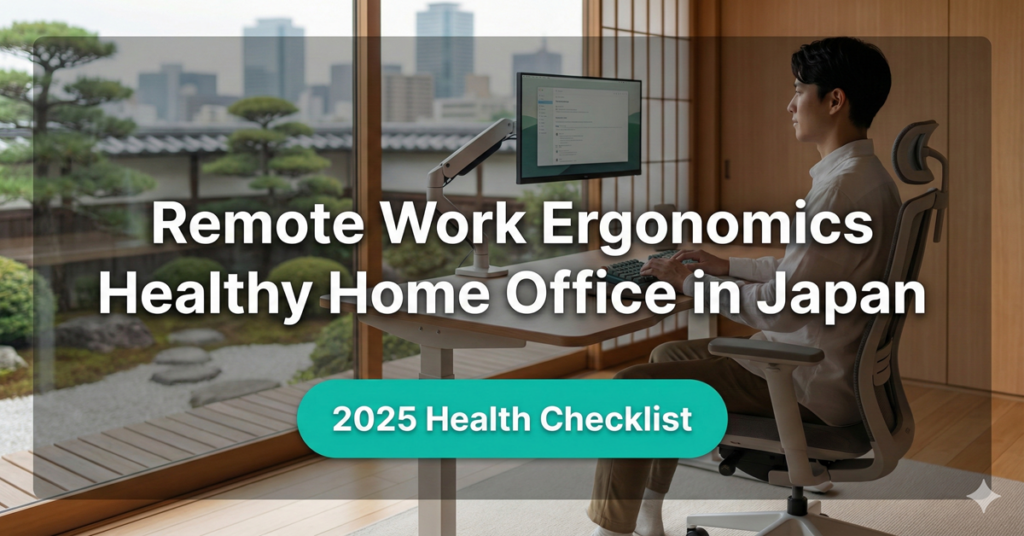
At the same time, many remote workers around the world report more neck, shoulder, and back pain. Research shows that poor home workstation design and non-neutral postures are major risk factors for musculoskeletal pain in teleworkers.
Japan also has a strong culture of long working hours. A joint analysis by the World Health Organization (WHO) and the International Labour Organization (ILO) found that regularly working 55 hours or more per week increases the risk of heart disease and stroke compared with standard working hours.
For expats working remotely in Japan, this means:
- You may sit longer than before
- Your “office” might be a dining table, a low kotatsu, or a tiny desk
- You may feel pressure to reply to messages late at night
- You might not receive the same ergonomic support you would get in a corporate office
Good ergonomics will not solve every problem, but it can greatly reduce daily discomfort and protect your long-term health. Combined with broader lifestyle strategies like Managing Stress and Burnout as an Expat in Japan and Staying Active in Japan Without a Gym Membership, you can create a healthy remote work routine that fits your life here.
Understanding Neutral Posture and Basic Home Office Ergonomics
Before you change your furniture, it helps to understand “neutral posture.” In a neutral posture, your joints are in natural, comfortable positions and your muscles do not have to work too hard to hold you up. Occupational health and safety agencies and medical centers around the world describe similar principles.
Key Points of Neutral Sitting Posture
Try to aim for the following when you work at a computer:
- Feet: Flat on the floor or on a stable footrest
- Knees: Roughly level with, or slightly lower than, your hips
- Hips: Bent about 90–110 degrees, with thighs supported by the chair
- Lower back: Supported by the chair’s backrest or a cushion in the lumbar area
- Shoulders: Relaxed, not lifted toward your ears
- Elbows: Close to your body, around 90–110 degrees, at about keyboard height
- Wrists: Straight and in line with your forearms, not bent up or down
- Head and neck: Facing forward, not tilted up or down for long periods
You do not need a perfect “textbook” posture all day. A more realistic goal is to set up your space so a neutral position is easy, and then change positions often.
If you already deal with chronic pain or past injuries, consider combining these tips with professional advice. Articles like Finding English-Speaking Doctors in Japan and Getting Physical Therapy and Rehabilitation in Japan as an Expat can help you locate appropriate medical support if needed.
Chair and Desk Setup in a Japanese Home
Many Japanese apartments are small. You may not have space for a big office desk, but you can still make smart ergonomic choices.
Choosing or Adapting a Chair
If you can buy one ergonomic item, start with the chair:
- Look for a backrest that supports your lower back
- Choose a height where your feet can rest flat
- Use a small cushion or rolled towel to support your lumbar curve
- If the seat is too high, use a stable footrest or a sturdy box
If you only have dining chairs:
- Add a cushion to raise yourself so your elbows are closer to tabletop height
- Put a firm pillow or towel at your lower back
- Place a small mat or box under your feet if they dangle
When shopping in Japan, big-box chains and online stores carry many budget-friendly office chairs. Use the same principles as in general ergonomics guides, even if the product descriptions are in Japanese. Pair your chair with smart habits from Budget-Friendly Home Office Setup Tips for Expats in Japan to avoid overspending.
Desk and Table Height
Ideally, your desk should allow your elbows to be at about 90 degrees when your shoulders are relaxed and your hands rest on the keyboard. If your table is too high (common with dining tables), you have two main options:
- Raise your chair and support your feet with a footrest
- Lower your keyboard and mouse using a keyboard tray or a separate surface
If your table is too low:
- Raise the table using bed risers or blocks
- Or move to a taller surface, such as a kitchen counter, for part of the day as a “standing desk”
Remember: your desk is part of your overall home environment. To keep your space both healthy and comfortable, see also Small Apartment Living in Japan: Smart Space and Storage Tips for practical layout ideas.
Monitor, Laptop, Keyboard, and Mouse Positioning
Many expats work primarily on laptops, which are convenient but not ergonomic when used alone. The screen is attached to the keyboard, so either your neck bends down or your arms are too high.
External Keyboard and Mouse
If you can, invest in:
- A simple external keyboard
- A basic external mouse or trackpad
This lets you raise your laptop screen to eye level while keeping your arms and wrists comfortable. Studies highlight that poorly placed screens and input devices are closely linked to musculoskeletal pain for teleworkers.
Screen Height and Distance
Aim to set your monitor or laptop screen so:
- The top of the screen is at or slightly below eye level
- The screen is roughly an arm’s length away
- You do not have to crane your neck up or down to read
You can use a laptop stand, a stack of books, or a sturdy box to raise the screen. Try to keep the screen directly in front of you to avoid twisting your neck.
If you often read documents while typing, use a simple document holder or stand them upright next to the screen so your eyes do not constantly look down.
Quick Ergonomic Fixes for Common Japanese Home Setups
Here is a simple table of common home office problems in Japan and practical fixes you can try even in a small apartment.
| Situation / Setup | Typical problem | Quick ergonomic fix |
|---|---|---|
| Working at a low kotatsu table | Rounded back, bent neck, numb legs | Use firm cushions to raise your hips above knees, keep sessions short, alternate with chair work |
| Using a dining table and chair | Table too high, raised shoulders | Raise chair, use footrest, add lumbar cushion, bring keyboard and mouse closer |
| Sitting on the floor with laptop on lap | Extreme neck bend, hot laptop on legs | Put laptop on a low stand or box, sit against a wall for back support, limit time and take frequent breaks |
| Tiny studio with no desk | Working from bed or sofa, slouched posture | Create a “mini desk” on a foldable table, use a firm chair, store it away after work |
| Shared apartment with limited privacy | Working wherever space is free, poor consistency | Designate a primary spot with best ergonomics and lighting, add small portable setup (keyboard, riser, cushion) |
| Multi-purpose living room workspace | Clutter, cables, stress from visual mess | Use cable organizers, trays, and baskets, reset your workspace at end of day |
These adjustments pair well with broader home comfort tips from Indoor Air Quality and Humidity Control in Japanese Homes and Preventing Mold and Allergies in Japan’s Humid Seasons, which can also affect how you feel during long remote workdays.
Movement, Breaks, and Stretching During Remote Work
Even the best chair will not save you if you sit still all day. Research on teleworkers shows that prolonged sitting and non-neutral postures are linked to back, neck, and shoulder pain, and that regular movement helps lower these risks.
Build Micro-Breaks into Your Day
Try simple rules such as:
- Stand up or walk around for 2–3 minutes every 30–45 minutes
- Change your posture (sit more upright, recline slightly, or stand)
- Combine quick stretches with common tasks (for example, when waiting for your coffee to brew)
Use phone alarms, desktop timers, or Japanese “pomodoro” apps to remind yourself. This habit fits nicely with ideas from Time Management and Work-Life Balance for Expats in Japan, especially if your work culture expects quick replies at all hours.
Light Stretching Ideas
Keep stretches gentle and pain-free:
- Shoulder rolls and shrugs
- Neck rotations within a comfortable range
- Wrist and finger stretches
- Standing back extensions with hands on hips
- Calf raises or ankle circles while waiting for a call to start
If you have any health conditions, ask a doctor or physical therapist which movements are safe for you.
Reducing Eye Strain and Screen Fatigue
Many remote workers spend most of the day staring at screens. This can cause dry eyes, headaches, and a feeling of constant fatigue.
Simple ways to reduce eye strain include:
- Adjust brightness so the screen is not the brightest light in the room
- Reduce glare by positioning your monitor perpendicular to windows
- Use the “20-20-20” rule: every 20 minutes, look at something 20 feet away for 20 seconds
- Increase font size instead of leaning closer to read
- Use blue-light-reduction modes in the evening if they help you relax
In Japan’s dry winters and air-conditioned summers, artificial heating and cooling can worsen eye dryness. Consider using a humidifier and speak with an eye doctor if discomfort persists. Articles like Finding an Eye Clinic or Optometrist in Japan can help you navigate local care options.
Mental Health, Long Hours, and Boundaries in a Home Office
Ergonomics is not just about your muscles and joints. Psychological stress and long working hours also affect your body. WHO and ILO reports show that chronically long working hours are a major occupational risk factor for heart disease and stroke.
Remote work in Japan can blur the line between personal time and work, especially when your office is in your bedroom or living room.
Create a Clear “Workday” Shape
To protect your wellbeing:
- Set a regular start and end time, and communicate it to your team
- Take a real lunch break away from your desk
- Change clothes at the start and end of the day, even if you stay at home
- Physically close your laptop or store work devices in a cabinet after hours
These small shifts send signals to your brain that work is over. They complement broader emotional care strategies in Mental Health for Expats in Japan: Counseling and Support Options and Coping with Loneliness and Culture Shock in Japan.
Design Visual Boundaries
If you do not have a separate room, you can still create visual boundaries:
- Use a folding screen or curtain to separate your work corner
- Use a specific lamp or light during work hours and switch it off afterward
- Store work tools in a box or basket when you finish
This keeps your living space from feeling like a permanent office and can make it easier to relax.
Japanese Telework Guidelines, Rights, and Responsibilities
Japan’s Ministry of Health, Labour and Welfare has issued detailed guidelines to support “high-quality telework.” These guidelines emphasize that employers must still manage working hours, overtime, and health risks when employees work remotely.
Key ideas include:
- Employers should monitor working time properly, even for home-based work
- Telework should not lead to excessive unpaid overtime or constant availability
- Companies are encouraged to support safe, comfortable working environments for teleworkers
- Employees should communicate any health problems related to telework early
As an expat, it is helpful to:
- Check your company’s telework policy (テレワーク規程)
- Ask HR about any support for home office equipment
- Keep clear records of your working hours
- Request adjustments if your workload regularly forces you into very long days
If you feel unsafe or unsure about your rights, Understanding Japanese Labor Laws for Foreign Workers and How to Talk to HR and Your Manager in Japan can offer more context and communication tips.
When to Seek Medical or Professional Help
Ergonomic changes should make you feel better within days or weeks, not worse. Pay attention to your body and seek help if you notice:
- Persistent or worsening neck, shoulder, back, or wrist pain
- Numbness, tingling, or weakness in your arms or hands
- Frequent headaches that seem linked to your work posture
- Difficulty sleeping due to discomfort
Start by contacting a primary care clinic or orthopedic specialist. You may be referred to physical therapy, occupational therapy, or pain management. For guidance on navigating the system, see How to Use Japan’s Health Insurance for Specialist Visits and Booking a Medical Appointment in Japan in English.
If you feel overwhelmed, anxious, or depressed because of remote work stress, it is just as important to reach out. Information in Mental Health for Expats in Japan: Counseling and Support Options can help you find English-speaking counselors and hotlines.
Building a Sustainable Home Office Routine in Japan
Ergonomics is not a one-time project. It is a set of daily habits and small design choices that add up over months and years. As a remote worker in Japan, you can:
- Design your physical space using neutral posture principles
- Adjust your chair, desk, and screens to fit your body
- Take regular movement and eye breaks
- Set healthy boundaries around working hours
- Use national telework guidelines and company policies to protect your rights
- Seek professional help early when something feels wrong
Think of ergonomics as one pillar in your overall life in Japan, alongside topics like National Health Insurance and Company Health Insurance Explained for Expats, Staying Healthy During Japan’s Hot and Humid Summers, and Winter Wellness and Flu Season Tips in Japan.
By combining smart home office design with movement, rest, and clear boundaries, you can turn your small Japanese apartment into a comfortable, productive, and healthy place to work – and enjoy your time in Japan without letting your job slowly wear down your body.
Disclaimer
This article is for general informational purposes only and does not constitute professional advice. Laws, prices and regulations vary by location and change over time. Consult a qualified professional for guidance on your specific situation.